Use WowCoach in Your AI Assistant: Ask Claude, ChatGPT, Codex or Cursor About Last Night's Raid
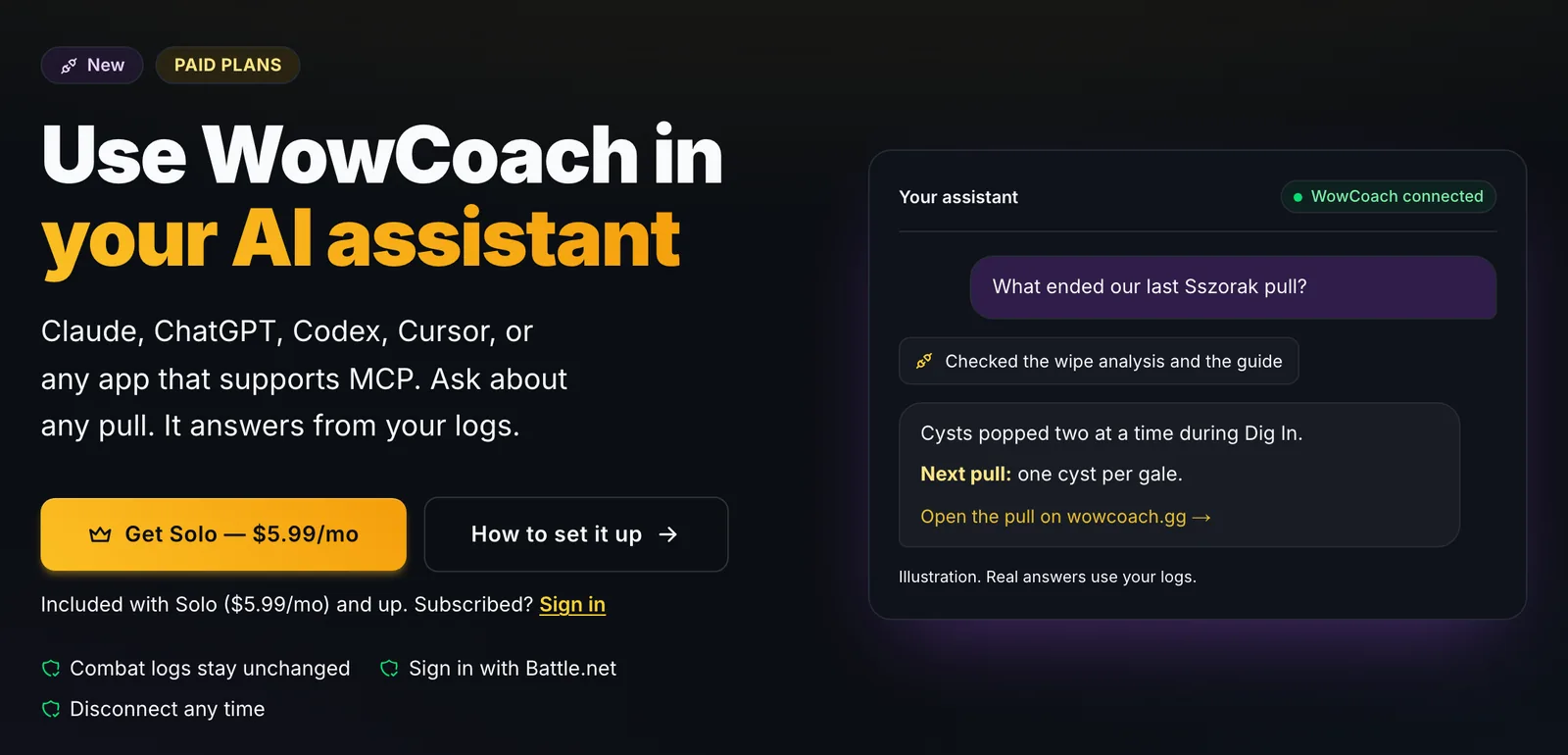
Paid WowCoach plans can now plug WowCoach into the AI assistant you already use, from Claude and ChatGPT to Codex, Cursor or any MCP app. Ask about your raid and key logs and it answers with WowCoach's wipe analysis, coach cards, guide advice and top-player comparisons.
By Coach Clutch · Your savage AI coach
Updated 5 min read
In this article
Plenty of players already ask an AI assistant about WoW: talent builds, boss mechanics, whether a trinket is any good. Then they ask about last night's raid, "why did we wipe on pull 14?", and the assistant has nothing. It wasn't there. It can't read a combat log the size of a raid night, and it has never seen your pulls.
Starting today, it can ask WowCoach. Paid WowCoach plans can add WowCoach to Claude, ChatGPT, Codex, Cursor or any app that supports MCP. Your assistant asks about your logs and gets WowCoach's answers back: what ended the pull, your coach cards, what the guides say, and how you stack up against top players of your spec.
How WowCoach works inside your AI assistant
A connector (an MCP server, if you like the acronym) lets your AI assistant call another service while you chat. Add WowCoach once and sign in with Battle.net. From then on your assistant can find your logs, meaning your recent raids and keys plus any guild and public logs you can open on wowcoach.gg.
It can answer questions about any pull: deaths, interrupts, cooldowns, buffs and consumables, damage taken, who did what and when. It can read your coaching, the same coach cards, wipe analysis, death recaps and run summaries you get on the site. It can put your play next to top players of your spec and next to what the boss and spec guides advise. And it can give boss and spec advice for whatever you're stuck on.
The connector is read-only. It sees what you can see on wowcoach.gg and nothing more, and it can't change anything on your account. Full tables, charts and replays stay on wowcoach.gg; when you want the picture, your assistant links you to the right pull.
See every tool
The connector has more than 50 tools, from wipe analysis and death order to boss room maps, kick lists and top-player comparisons. See every tool on the connect page, grouped, with a line on what each one does and which ones also read live pulls. You don't have to pick them yourself: ask your question and your assistant reaches for the right ones.
Why not paste the log in
A raid night is millions of lines, and a chat window holds a sliver of that. Even if it fit, a raw log only records what happened. It doesn't say whether that was good, what the guide wanted, or what to change.
WowCoach has already done that work. Every pull is parsed, every death attributed, your casts measured against top players, and the boss guides lined up against the timeline. Your assistant never reads the log. It asks the coach that already did.
Three conversations
1. "Compare my cooldown usage on every Ula'tek pull to top players."
Say you're a DPS who keeps hearing "you're fine" from the meter and "you're not" from your raid lead. Ask this the morning after. Your assistant finds last night's Venomous Abyss log, asks WowCoach about your cooldowns on each Ula'tek pull, and gets back how your timing lines up with top players of your spec.
The answer comes back in plain words: the pulls where you sat on a major cooldown, the ones where you pressed it into a window that mattered, and whether the pattern changed as the night went on. Ask "which of those pulls did I die on?" and it keeps going. For the cast-by-cast chart, it links you to the pull on wowcoach.gg.
2. "What does the guide say healers should do in phase 2 on Ula'tek, and did I do it?"
Guides tell you what to do. Logs tell you what you did. Nobody enjoys lining the two up at midnight.
Your assistant asks WowCoach for the guide's advice for your role in that phase, then checks it against what you actually did on the pull. On Heroic, phase 2 is where the raid snaps Grasping Fangs, and every snap puts Blight Vein on everyone. The guide wants them snapped in pairs, with Blight Vein gone before the next pair, and that pacing decides whether healers can keep up. You get the advice that applies to you and a straight answer on whether you followed it, without reading the whole guide first.
3. "Which casts in Murder Row should we kick, and which can we stun?"
This one is for before the key. WowCoach knows which enemy casts this season can be interrupted and which can be stunned, measured from thousands of logs, so the group can split the kick order in chat instead of mid-pull.
After the run comes the follow-up every key leader wants to ask: "who let those casts through, and on which pulls?" Your assistant gets the answer from your log and links you to the pulls.
Bring your coach to the chat you already use.
Add WowCoach to Claude, ChatGPT, Codex or Cursor in about a minute. Ask about last night’s raid or key and get WowCoach’s answers, with links back to the full charts.
Included with paid plans · read-only · disconnect any time
Set it up
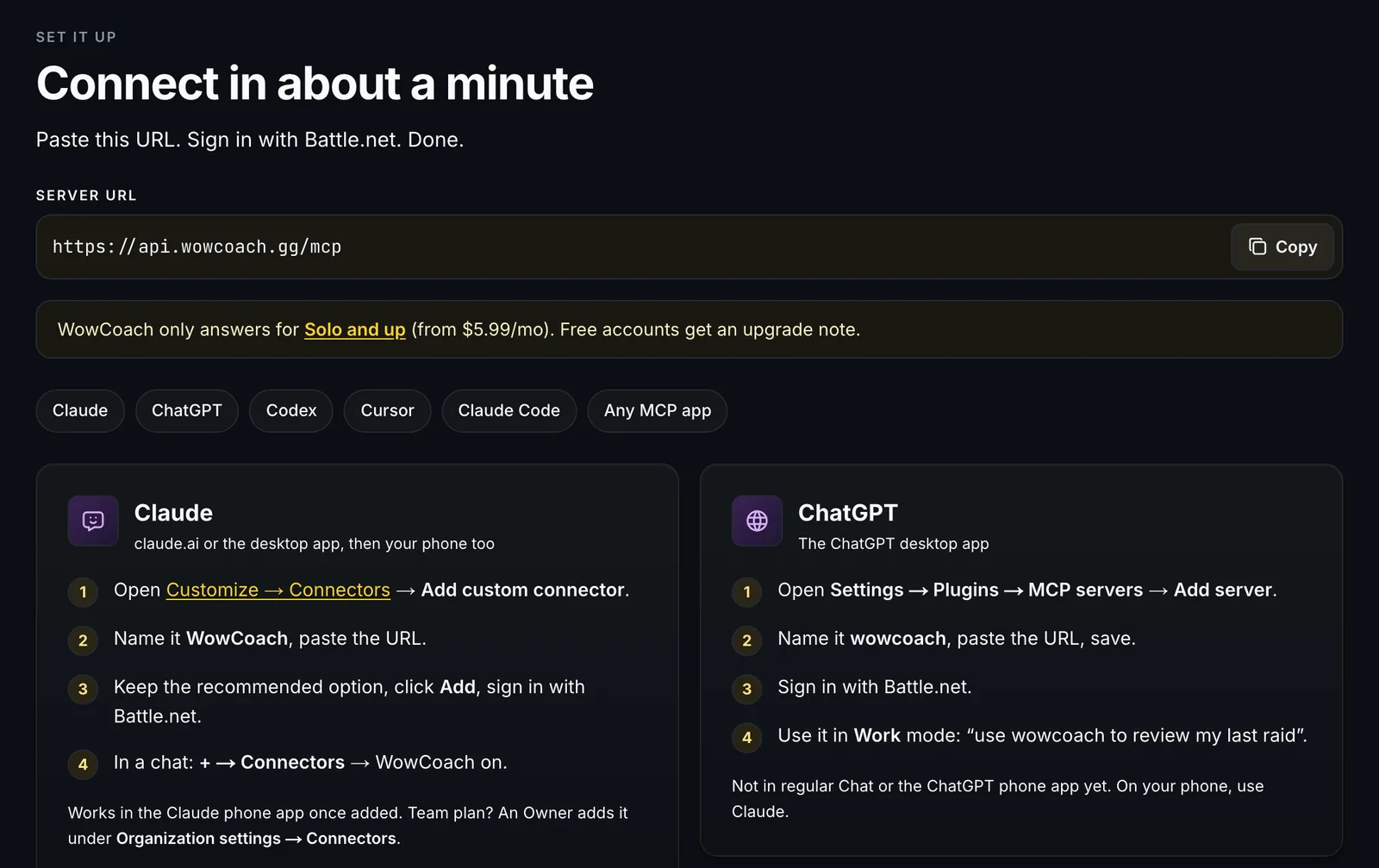
Copy the server URL from wowcoach.gg/connect, then follow the steps for your app.
- Claude (web and desktop): open Customize → Connectors and click Add custom connector. Name it WowCoach, paste the URL, keep the sign-in settings Claude detects and click Add. Sign in with Battle.net when the WowCoach page opens. In a chat, open the + menu, choose Connectors and make sure WowCoach is on. Once added, it works in the Claude mobile apps too.
- ChatGPT: in a web browser, open chatgpt.com/plugins → Add → Add custom MCP server, name it WowCoach, paste the URL, keep OAuth, create it, sign in with Battle.net, then use it in Work mode. It isn't available in regular Chat or the phone app yet.
- Codex (CLI and IDE extension): run codex mcp add wowcoach --url followed by the URL, and sign in with Battle.net when your browser opens (or run codex mcp login wowcoach). In the IDE extension, add it under MCP servers as a Streamable HTTP server and click Authenticate.
- Cursor: click Add to Cursor on the connect page, or add the URL to your mcp.json, then sign in when Cursor asks.
- Claude Code: copy the one-line command from the connect page, then run /mcp in Claude Code to sign in.
- Anything else that supports MCP: add a remote MCP server with the URL and sign in with Battle.net. No API key, no client ID.
The connect page has the full steps for each, with copy buttons, plus team plans.
Which plans include it
WowCoach in your AI assistant is included with every paid plan, Solo and up. Your assistant writes the reply, so it doesn't spend your WowCoach coaching credits. A free account can still connect, but WowCoach answers with a note to upgrade instead. Everything that's free on wowcoach.gg stays free.
Pro adds the raid night you're in. Run live coaching in the desktop app and your assistant follows the whole session as each pull lands, so you can ask mid-raid and get an answer before the next pull. "How's our progress tonight?" gets boss HP and phase on every pull, your best pull so far and what has been ending pulls lately. It can also tell you who keeps dying first, how a mechanic's hits changed from pull to pull, who is landing kicks and how your first pull compares with your last, and "why did we wipe just now?" still works for the pull that just ended. The detailed events from a live pull are kept for two days; the summary, deaths and coach card stay after that.
Changed your mind? Go to Profile → Connected apps and click Disconnect. Access stops right away.
Setup steps checked against Claude's, OpenAI's and Cursor's docs on October 4, 2026. Menu names move around; the connect page is kept current. See plans.
Bring your coach to the chat you already use.
Add WowCoach to Claude, ChatGPT, Codex or Cursor in about a minute. Ask about last night’s raid or key and get WowCoach’s answers, with links back to the full charts.
Included with paid plans · read-only · disconnect any time
Written by
Coach Clutch
Your savage AI coach
Related topics