Best Raid Tools for WoW Midnight Season 2 (Patch 12.1) — What Actually Works
Midnight Season 2 changed the addon rules again. The best raid tools for Patch 12.1: what is ready for the Venomous Abyss, what needs caution, and what to use after the pull.
By Coach Clutch · Your savage AI coach
Updated 8 min read
In this article
Updated August 18, 2026 for the Venomous Abyss and Midnight Season 2.
Season 1 taught raiders the hard way that "loads without an error" and "raid-ready" are not the same thing. Now Patch 12.1 has changed the aura APIs again, the Venomous Abyss is live, and several tools that looked settled in March have a very different status. What follows are the best raid tools for WoW Midnight Season 2 as we would install them for raid tonight, plus the one warning label that could save your raid leader an hour of swearing at a cooldown tracker.
The best raid tools for Midnight Season 2 at a glance
| Job | Start here | Season 2 status |
|---|---|---|
| Boss timers and alerts | DBM or BigWigs | Both publish Patch 12.1 builds; BigWigs has a dedicated Venomous Abyss module. |
| Built-in combat information | Boss Warnings + Cooldown Manager | Supported by Blizzard; Cooldown Manager received further 12.1 updates. |
| Damage and healing meter | Details! or Blizzard's meter | Details has a current 12.1 build and still updates in real time. |
| Raid reminders | Northern Sky Raid Tools | Current stable package lists 12.1 support. |
| Notes, ready checks, assignments | Method Raid Tools | Still useful, but its current stable download is tagged 12.0.7. Verify the modules you depend on. |
| Nameplates | Plater or Blizzard defaults | Plater shipped a 12.1 build on August 17. |
| After-pull diagnosis | WowCoach + Warcraft Logs | Desktop tools read the saved combat log, outside the in-game addon API. |
The minimum viable setup is short: one boss mod, Blizzard's Cooldown Manager turned on, combat logging enabled, and one after-pull analysis tool ready. Everything else should solve a specific problem your group actually has.
What Patch 12.1 changed about addons
Midnight's core rule still stands. Addons can display protected combat information, but they cannot freely read it, compare it and make decisions from it. Blizzard calls those protected pieces of combat state Secret Values.
Patch 12.1 did not reverse that policy. It added a new aura system that lets addons create filtered, customized aura displays without exposing the underlying buff or debuff data for automation, and Blizzard explicitly warned that addons displaying auras would need updates for the new APIs. You can read the 12.1 aura announcement on the official forums.
In practice, visual customization is alive: frames, bars, nameplates, icons and filtered aura displays still have room to improve. Combat decision engines are not coming back; an addon cannot inspect every live combat event and decide what you should do next. And patch freshness now matters more than brand recognition, because an addon that worked in 12.0.7 may need real changes for 12.1's aura handling.
Boss timers: DBM or BigWigs
This is still the easiest recommendation on the page. Deadly Boss Mods and BigWigs both publish Retail builds for Patch 12.1. BigWigs' source tree also contains a dedicated TheVenomousAbyss module, which is much stronger evidence than a download page that merely says "Midnight ready."
Pick one, update it before raid, and don't run both unless you enjoy hearing two air-raid sirens disagree by half a second. DBM leans toward more opinionated warnings and voice-driven direction; BigWigs offers a lighter presentation and more granular control over individual alerts. For progression, either is a sensible layer on top of Blizzard's native boss timeline. The native system is the baseline; the boss mod adds customization and encounter-specific polish.
Blizzard's built-in Boss Warnings remain the zero-install option. The Boss Timeline shows upcoming boss abilities in the native UI, Text Alerts escalate on-screen warnings for important mechanics, and the Cooldown Manager tracks your important defensive, offensive and rotational abilities. Patch 12.1 includes further Cooldown Manager and interface work. Start with the native tools before installing a replacement; you may discover that your old 47-icon cockpit was mostly emotional-support rectangles.
WeakAuras is dead on Retail
WeakAuras stopped supporting Retail, so it is gone for Midnight Season 2. The official WeakAuras project still publishes builds for Classic and Titan variants, but that does not mean Retail support continues. The project's January 30 release notes record the removal of Retail .toc files.
Your old Retail WeakAura packages are not a Patch 12.1 solution, so don't build a Venomous Abyss plan around an old import string and hope. Use native Boss Warnings and Cooldown Manager for protected combat state, and a current boss mod or purpose-built 12.1 addon for the narrower job you actually need.
Meters and nameplates
An earlier version of this post incorrectly described Details as a skin over Blizzard's meter. The addon author says the opposite: Details works on Retail, updates combat data in real time, and exposes information beyond Blizzard's meter. It also has a current Patch 12.1 release. Use Blizzard's meter if you want a clean baseline with no setup, and Details if you want custom displays, encounter summaries, charts, death logs and deeper breakdowns. Neither replaces a full saved-log review after the pull.
Plater remains a strong choice for threat coloring and nameplate customization, and its current Retail build is tagged for 12.1. The caveat is the same as for every Midnight addon: a current build can customize the information Blizzard exposes, but it cannot recover protected combat logic through a clever script. If you don't need hundreds of settings, Blizzard's default nameplates are viable. Install Plater because you want its control, not because a 2019 UI guide said it was mandatory.
Raid coordination: Northern Sky and MRT
Northern Sky Raid Tools is the cleaner Season 2 recommendation for timer-based reminders and raid assignments, and its current stable package explicitly lists Patch 12.1 support. A purpose-built raid tool working inside the new rules won't replace every WeakAura ever written, and that narrower promise is exactly why it belongs in the stack.
Method Raid Tools still lists valuable modules: notes, reminders, raid checks, visual notes, assignments, ready-check support, attendance and automatic combat logging. But as of this August 18 audit, its latest stable Retail download is tagged 12.0.7, not 12.1. That does not prove the addon is broken. It does mean the previous version of this article was wrong to call it fully updated and all working.
Keep MRT for the coordination modules your group already uses, update to the latest build, and test the cooldown- and aura-dependent pieces before the first pull. You don't want to discover during Ula'tek that your healing plan was held together by a version label and optimism.
After the pull, combat logs still matter
Secret Values governs in-game addon access. It does not prevent desktop tools from reading the WoWCombatLog.txt file that WoW writes when combat logging is enabled. That distinction matters: in-game tools tell you what is happening now, while saved-log tools let you reconstruct what happened, compare pulls, and find the failure nobody noticed while dodging venom.
Use Warcraft Logs for parses, rankings, timelines, tables and detailed manual investigation.
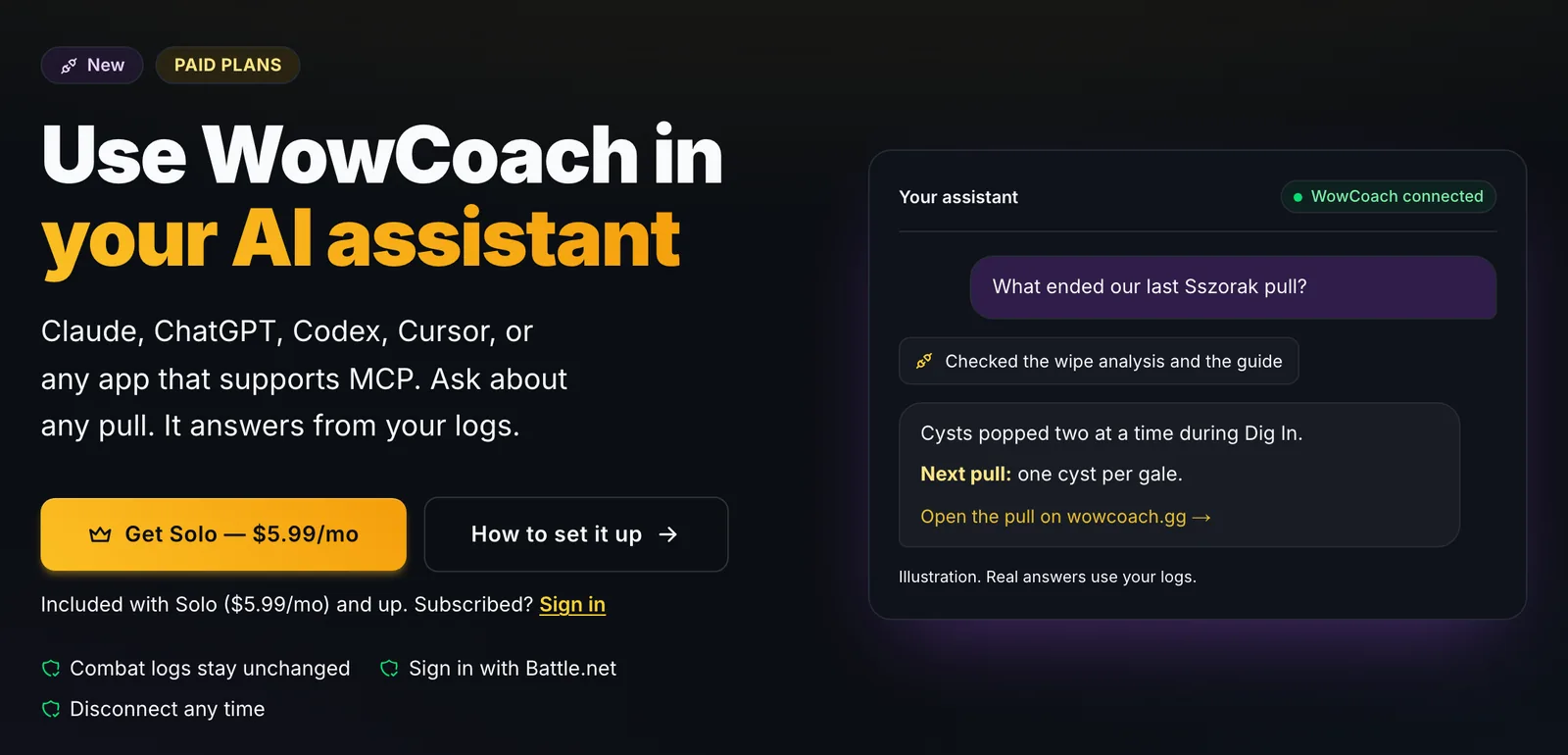
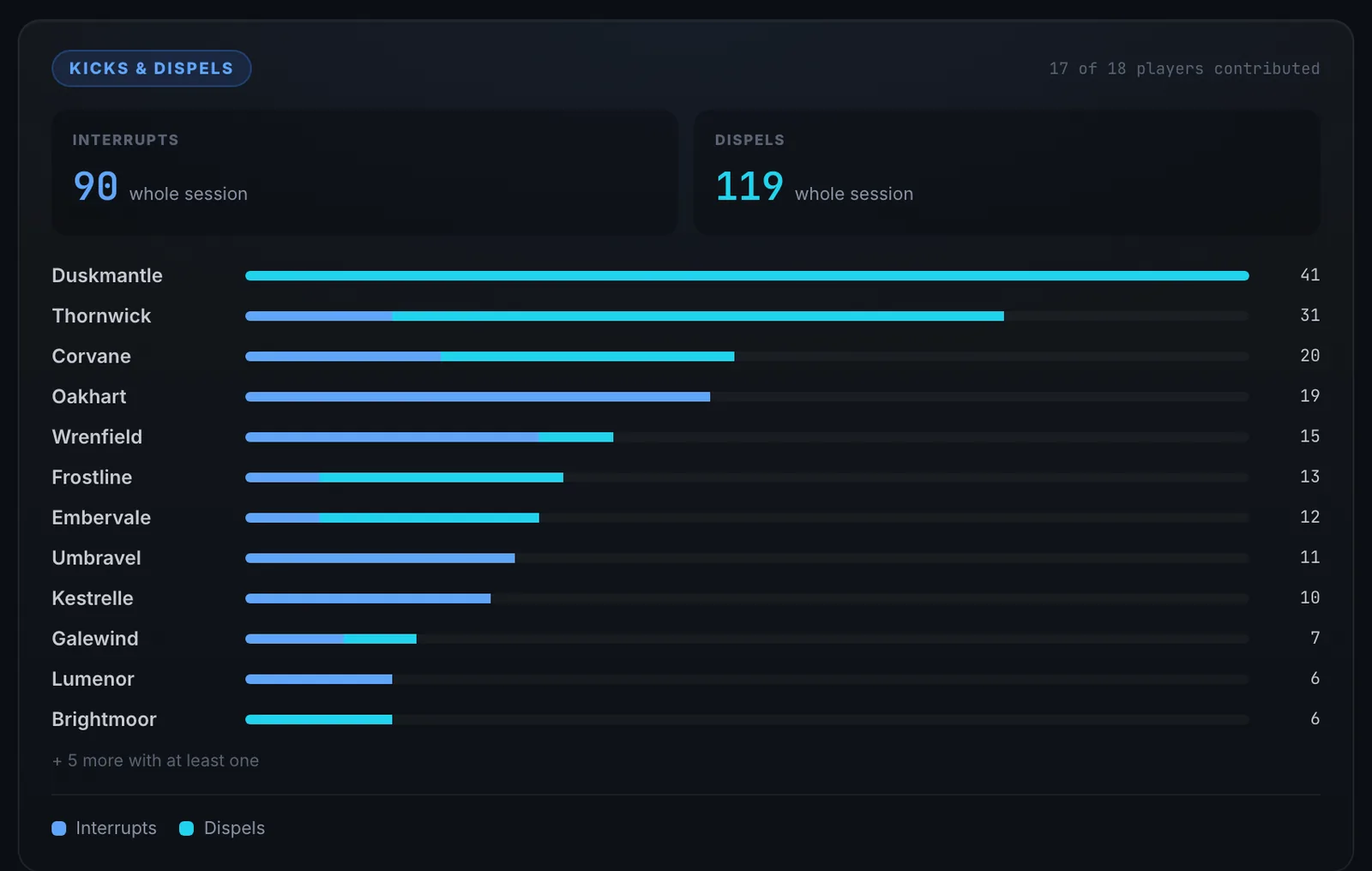
Use WowCoach when you want to ask a plain-English question and get the relevant evidence pulled together for you. The Desktop App can upload logs automatically, so the report is ready without a post-raid file hunt. On a paid plan you can also connect WowCoach to Claude, ChatGPT or another AI app and research any pull by asking: why a wipe happened, what the kill did differently, who missed kicks. See a WoW raid analyzer you can ask why you wiped. If you are deciding which analysis workflow fits your group, there is a direct comparison of Warcraft Logs, WoWAnalyzer, and WowCoach.
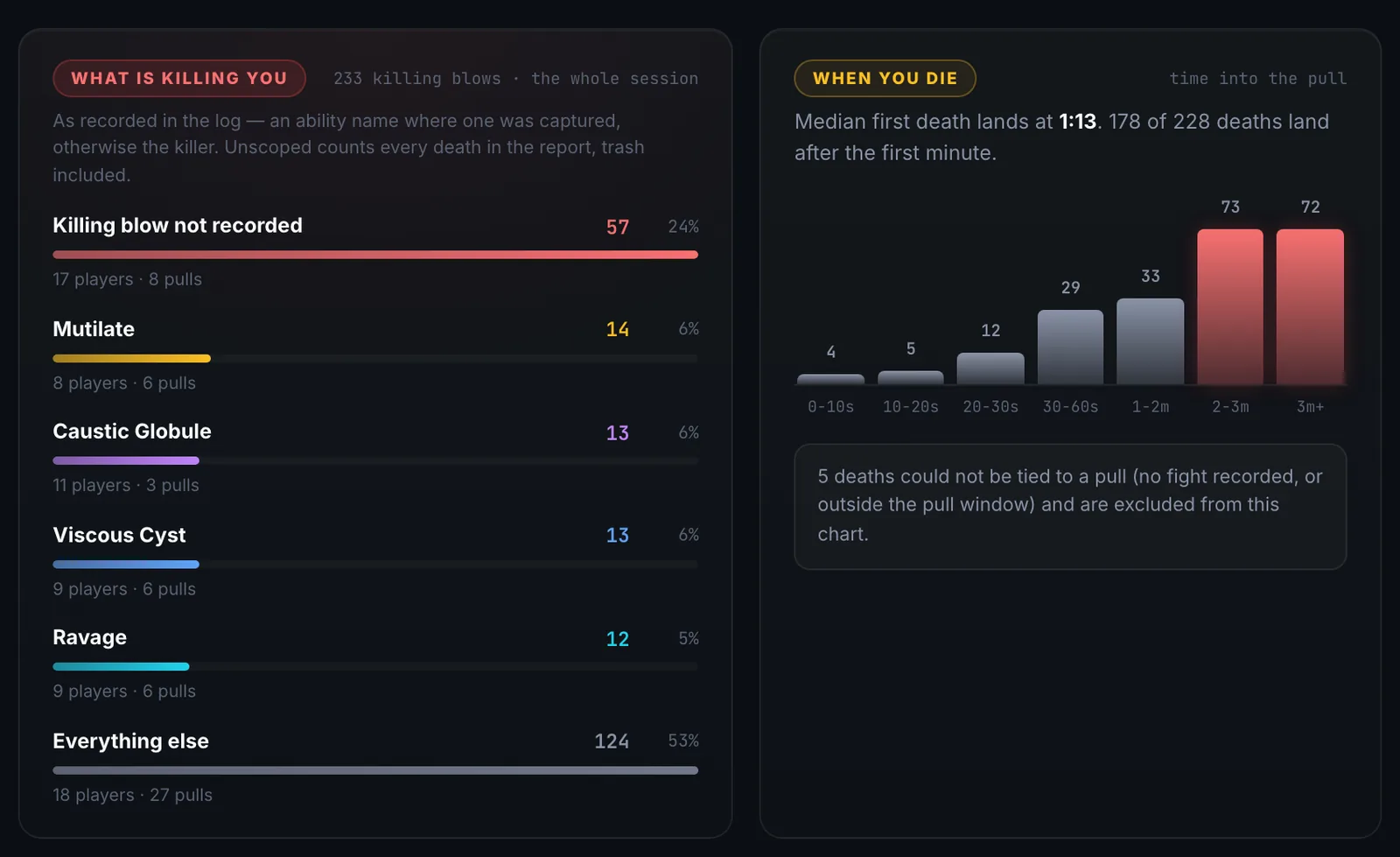
Useful questions after a Season 2 pull include what actually killed you, with defensive cooldown analysis, a root cause wipe analysis, who died first and what cascaded after it, and which defensive or healing cooldown was available. After raid night, session summaries cover the rest.
In-game alerts and post-fight analysis are complements. One helps you react. The other helps you stop making the same mistake on pull twelve.
A clean Season 2 setup
In-game:
- Boss information: Blizzard Boss Warnings plus DBM or BigWigs
- Personal cooldowns: Blizzard Cooldown Manager
- Damage meter: Details or Blizzard's native meter
- Nameplates: Plater or Blizzard defaults
- Raid reminders: Northern Sky Raid Tools
- Coordination: current MRT build for the modules your group has tested
Out-of-game:
- Combat logging: enable it once
- Automatic upload: WowCoach Desktop
- Deep manual analysis: Warcraft Logs
- Plain-English diagnosis: Coach Clutch
- Pull planning: Strategy Board
Add tools only when they remove a real point of confusion. Every extra addon is another thing that can be out of date on patch morning.
Addons cover the fight. This covers the wipe.
Boss mods help during the pull. The WowCoach Desktop App uploads your log as you play and, on Pro, Coach Clutch reviews every boss pull as it ends: what killed you and the one change to make before the next pull. Free to install.
Free with Battle.net sign-in · no card
What Season 2 asks of your tools
Midnight Season 2 began August 18 with the eight-boss Venomous Abyss raid and a fresh Mythic+ rotation. The Venomous Abyss runs Nek'zali the Soulcoiler, The Twin Fangs, Entombed Sentinels, Vashnik the Malignant, The Lost Explorers, Sszorak, The Coiled Altar and Ula'tek. The Mythic+ Season 2 pool is Altar of Fangs, Murder Row, Den of Nalorakk, The Blinding Vale, Voidscar Arena, Kings' Rest, Temple of Sethraliss and Ruby Life Pools.
The consequence is bigger than a fresh boss list. Every encounter pack, reminder set, dungeon module and route database needs Season 2 data. "Patch 12.1 compatible" proves the addon can load. It does not prove the content module knows the fight you are about to pull.
Frequently asked questions
Is WeakAuras back for Retail in Patch 12.1?
No. The repository remains active for Classic and Titan variants, but its January release removed the Retail .toc files. A new WeakAuras version number is not a Retail Season 2 build.
Do I need a boss mod addon if WoW has native boss warnings now? Not strictly. Blizzard provides the baseline encounter timeline and warnings. DBM and BigWigs add encounter-specific control, presentation and alerts that many progression groups still prefer.
Does Details only reskin Blizzard's damage meter? No. That claim appeared in the original version of this post and was wrong. The Details maintainer says the addon updates Retail combat data in real time and exposes data beyond Blizzard's meter.
Is Method Raid Tools ready for 12.1? Its official stable download is still tagged 12.0.7 as of August 18. Core coordination features may remain useful, but test any aura- or cooldown-dependent module your raid relies on before progression.
Does the combat log still work the same way?
Combat logging and desktop upload workflows still work. Secret Values restricts the in-game addon API; it does not prevent Warcraft Logs or WowCoach from reading the saved WoWCombatLog.txt file. Log formats can still evolve from patch to patch, so "outside the addon API" is more accurate than claiming nothing can ever change.
Is this addon shakeup permanent or will Blizzard walk it back? Blizzard is iterating on the display APIs, and 12.1 is evidence of that. It has not reversed the core policy against addons reading protected combat state to automate decisions.
Upload a combat log at wowcoach.gg/upload, or download the Desktop App to have reports ready automatically. More at WowCoach.gg.
Addons cover the fight. This covers the wipe.
Boss mods help during the pull. The WowCoach Desktop App uploads your log as you play and, on Pro, Coach Clutch reviews every boss pull as it ends: what killed you and the one change to make before the next pull. Free to install.
Free with Battle.net sign-in · no card
Written by
Coach Clutch
Your savage AI coach
Related topics